Google has added a way to switch to Gemini without starting from scratch: chat history and preferences can now be brought over from a different AI assistant.
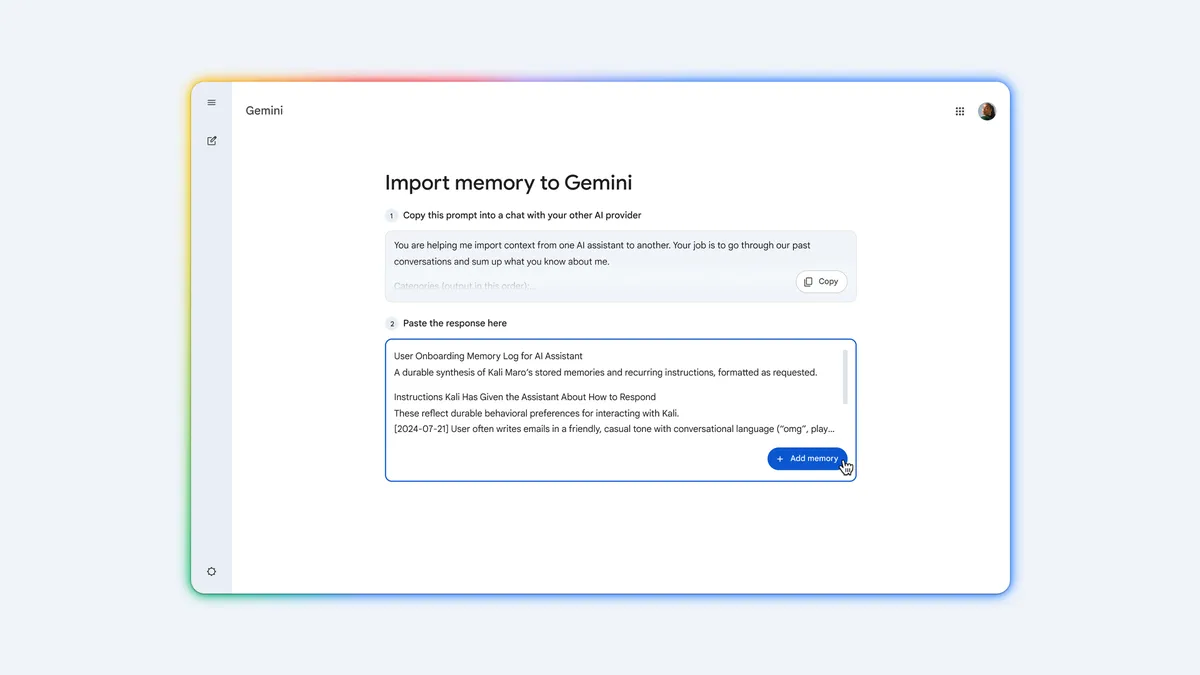
The move takes five steps. First, open the Gemini import settings and copy Google's prompt. Then paste that prompt into the previous AI tool to generate a summary of your preferences, and paste the response back into Gemini. Next, export a ZIP file of the chat history from the previous provider's account settings. Finally, upload that ZIP archive in Gemini settings to pick up conversations right where they left off.
Google presents the feature as a catch-up for anyone who missed it, framed as a way to carry context across instead of rebuilding it conversation by conversation.